

Be Among the First to Experience AuditTruss — January 2027 Pilot | Book a Demo →
AUDITTRUSS MODELS & VDC
2D Drawings. 3D BIM Models. Connected Construction Information.
Construction teams rely on drawings and building models to understand design intent, coordinate building systems, and plan the work ahead.
AuditTruss Models & VDC is being developed to bring drawing workflows, 3D BIM model creation and editing, and multidisciplinary project information into one connected construction environment.
Create models, work with supported IFC files, explore model components, and connect digital building information with the broader project workflow.
FROM DRAWINGS TO DIGITAL MODELS
Work With Project Information Beyond the Drawing.
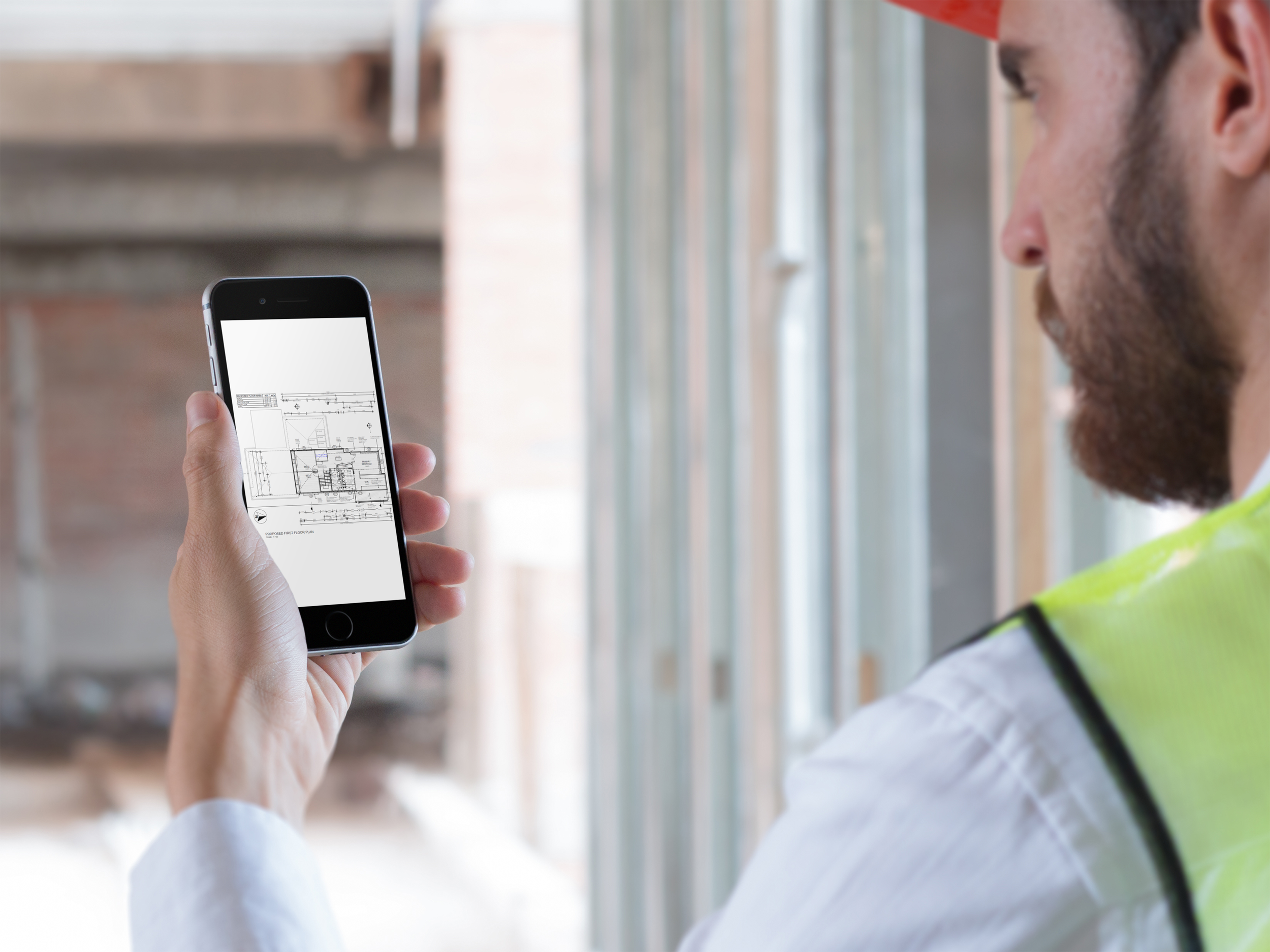
Construction information takes different forms throughout a project. Two-dimensional drawings communicate plans and details, while three-dimensional BIM models help teams understand how building elements fit together.
AuditTruss is being developed to support both drawing and model workflows within the wider project environment, helping teams keep technical information connected to the projects it supports.
-
✔ 2D DRAWINGS
Bring construction drawing information into the project environment through developing drawing workflows.
-
✔ 3D BIM MODELING
Create, edit, and upload BIM models through the platform's developing modeling capabilities.
-
✔ MULTIDISCIPLINARY CONTEXT
Organize model information by discipline and explore how different parts of a construction project relate to one another.
CREATE, EDIT & EXPLORE 3D BIM MODELS
Build the Model. Understand Its Components.
AuditTruss is being developed to do more than display uploaded BIM models. Its modeling workflows are designed to let users create and edit models within the platform.
Users can work with supported model components, build and connect elements, and inspect the structure of a model through tools such as the model tree and component properties.
These capabilities are being refined as AuditTruss continues to develop its model-authoring environment.
-
Start a new model within a project and select the relevant modeling discipline or category.
-
Build a model by placing supported components and connecting them within the modeling workspace.
-
Use the model tree to review individual elements and understand which components are included in the model.
-
Access the properties associated with supported model elements for additional component-level information.
-
Work with model components through developing authoring tools designed to support model creation and modification.
WORK WITH DRAWINGS & IFC MODELS
Bring Project Documentation Into One Connected Environment.
Construction drawings and BIM models provide different but complementary views of a project. Keeping this information associated with the project helps teams work from relevant design context as construction progresses.
AuditTruss is being developed to support the creation and upload of drawings and the creation, editing, and upload of BIM models. The platform also includes workflows for working with supported IFC model files.
-
Bring drawing information into the project environment through developing tools for creating and working with construction drawings.
-
Upload supported IFC files to bring model information into the AuditTruss project environment.
-
Work with developing model-authoring tools to create and modify supported models within the platform.
-
Keep drawing and model information associated with its relevant project workspace.
MODEL ORGANIZATION & DISCIPLINES
Understand the Parts That Make Up the Project.
Construction models can contain many individual elements. Understanding what is included in a model—and how those elements are organized—can be important when reviewing the model and coordinating the work.
AuditTruss's developing modeling environment includes a model tree for reviewing model components, along with discipline-specific workflows designed around different types of construction information.
-
Model the Building’s Layout and Design Elements.
Support architectural modeling workflows for building layouts and design components. Organize relevant model elements to help teams understand how spaces, walls, openings, doors, windows, and other architectural features contribute to the overall design.
-
Represent the Systems That Support the Structure.
Work with model information associated with the building’s structural framework, including elements such as columns, beams, slabs, foundations, and load-bearing systems. Keep structural model components organized within the broader project context.
-
Organize Mechanical Building Systems.
Support workflows for mechanical model information, including HVAC-related systems, ductwork, equipment, and associated components. Keep mechanical elements identifiable within the project model to support review and coordination with other building disciplines.
-
Bring Electrical Systems Into the Project Model.
Support modeling workflows for electrical project information, such as power distribution, lighting, electrical equipment, and related components. Organize electrical model information so it can be reviewed alongside other relevant project disciplines.
-
Represent Plumbing Systems and Components.
Work with model information associated with plumbing systems, including water supply, sanitary drainage, piping, fixtures, and related equipment. Keep plumbing components organized within the project environment to support multidisciplinary review.
-
Connect Site and Civil Infrastructure Information.
Organize model information associated with civil project work, such as site layout, grading, drainage, utilities, and related infrastructure. Keep civil model information within the broader project context alongside relevant building and site information.
-
Model Temporary Systems Used During Construction.
Support developing modeling workflows for temporary construction systems, including scaffolding. AuditTruss's modeling environment includes a separate Temporary Works category, with work underway on creating and editing scaffolding models and inspecting their individual components.
MULTIDISCIPLINARY COORDINATION
Connect Model Information Across the Project.
Construction projects bring together multiple disciplines, each contributing information that needs to be understood within the context of the wider project.
AuditTruss is being developed to support coordination between model information and project workspaces, helping teams bring relevant disciplines into a more connected project environment.
-
Organize model information by discipline and bring relevant areas of the project into a shared coordination workflow. AuditTruss supports six core disciplines—architectural, structural, mechanical, electrical, plumbing, and civil—with a separate Temporary Works category for developing workflows such as scaffolding.
-
Review the individual elements that make up a model using the model tree. This structured view helps users understand which components are included, inspect the model's contents, and identify elements that may need further review.
-
Access the properties associated with supported model components to examine their available information. Combined with the model tree, component properties provide a more detailed view of the elements that make up the model.
-
Use the developing coordination workflow to connect a model with other disciplines within the project context. The goal is to help teams consider model information across the wider project rather than viewing each model in isolation.
CONNECT DIGITAL MODELS WITH CONSTRUCTION WORKFLOWS
From Model Information to Project Coordination.
Drawings and BIM models are most useful when the right people can access the information relevant to their work.
AuditTruss is designed to connect technical project information with the broader platform, bringing Models & VDC into the same project environment as office workflows and field communication.
As the platform develops, the goal is to help teams connect digital design information with the observations, questions, and coordination needs that arise during construction.
-
Keep relevant drawing and model information associated with its project workspace.
-
Connect Models & VDC with the wider AuditTruss environment designed to support communication between jobsite personnel and office teams.
-
Help teams access relevant technical information when reviewing project conditions and coordinating work.
-
Bring model information closer to the people who need it throughout the construction process.
EXPLORE THE AUDITTRUSS PLATFORM
-
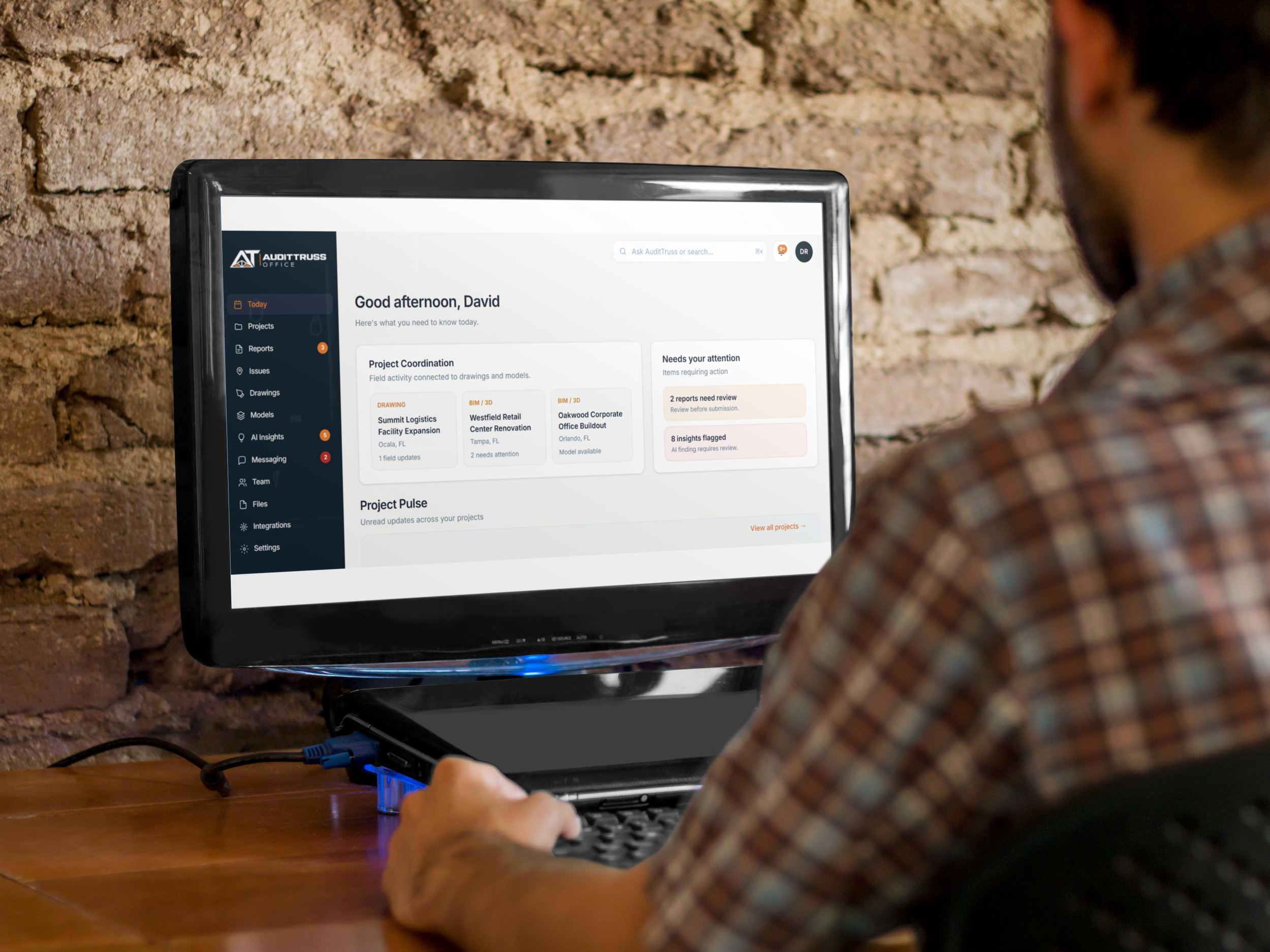
AUDITTRUSS OFFICE
For Project Managers & Operations Teams
Connect field activity with reports, drawings, BIM models, and project information to understand progress and identify what needs attention.
-
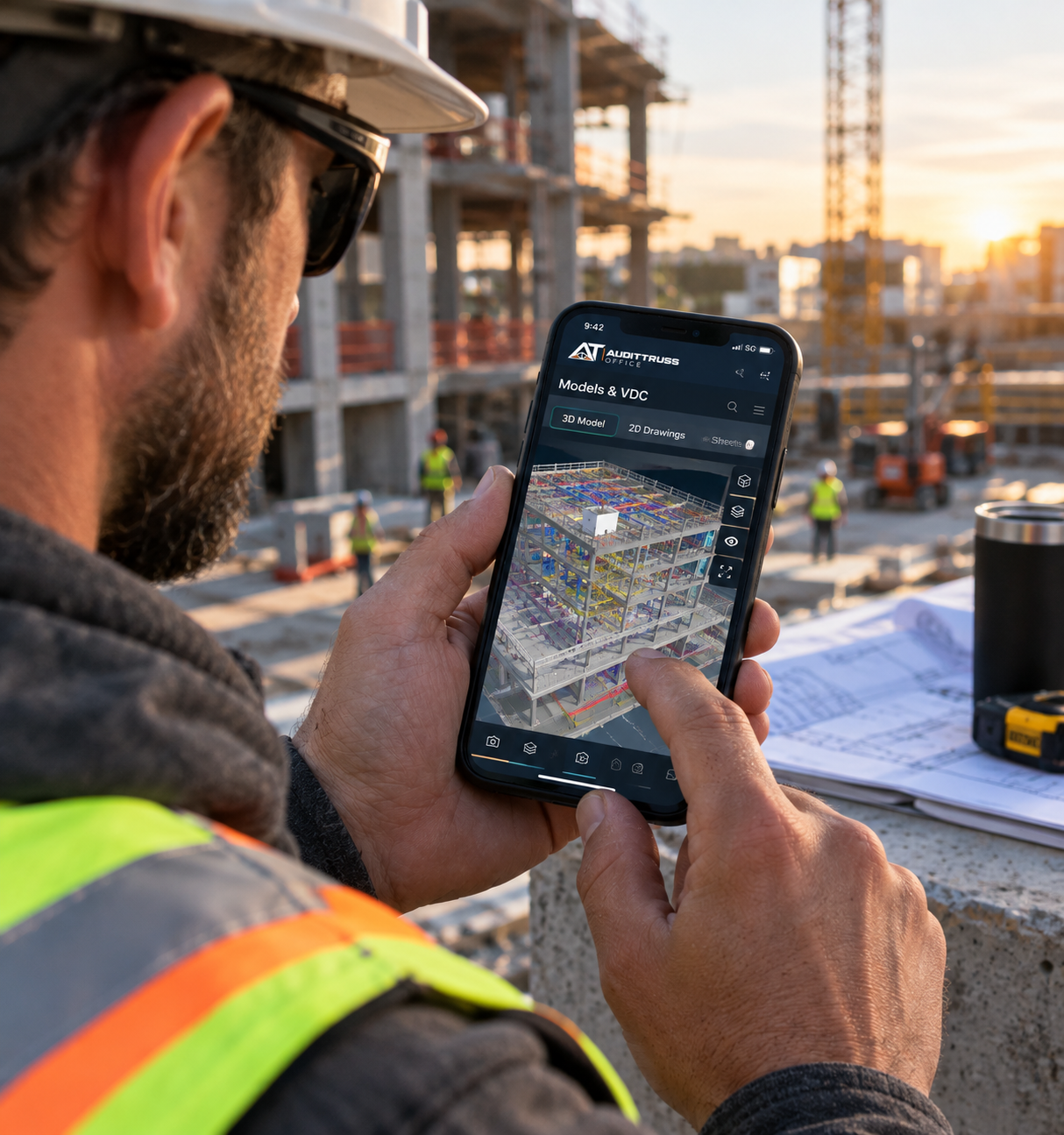
AUDITTRUSS FIELD
For Superintendents & Foremen
Capture updates with voice and photos, access drawings and project information, and connect observations to where work is happening.
Help Shape the Future of Construction Workflows.
AuditTruss is preparing for its next stage of development. We're connecting with construction professionals who want to help shape how field activity, AI, drawings, and project information work together.
JOIN THE EARLY ACCESS WAITLIST
Get early access to AuditTruss. See what’s happening in the field, understand it in the office, and keep every project connected.